

Firmware Update
Download a firmware file from Ouster Downloads, navigate to the sensor web UI (for example, http://os-991900123456.local/), and upload the file when prompted.
Note: Firmware can also be updated with the firmware update endpoint.
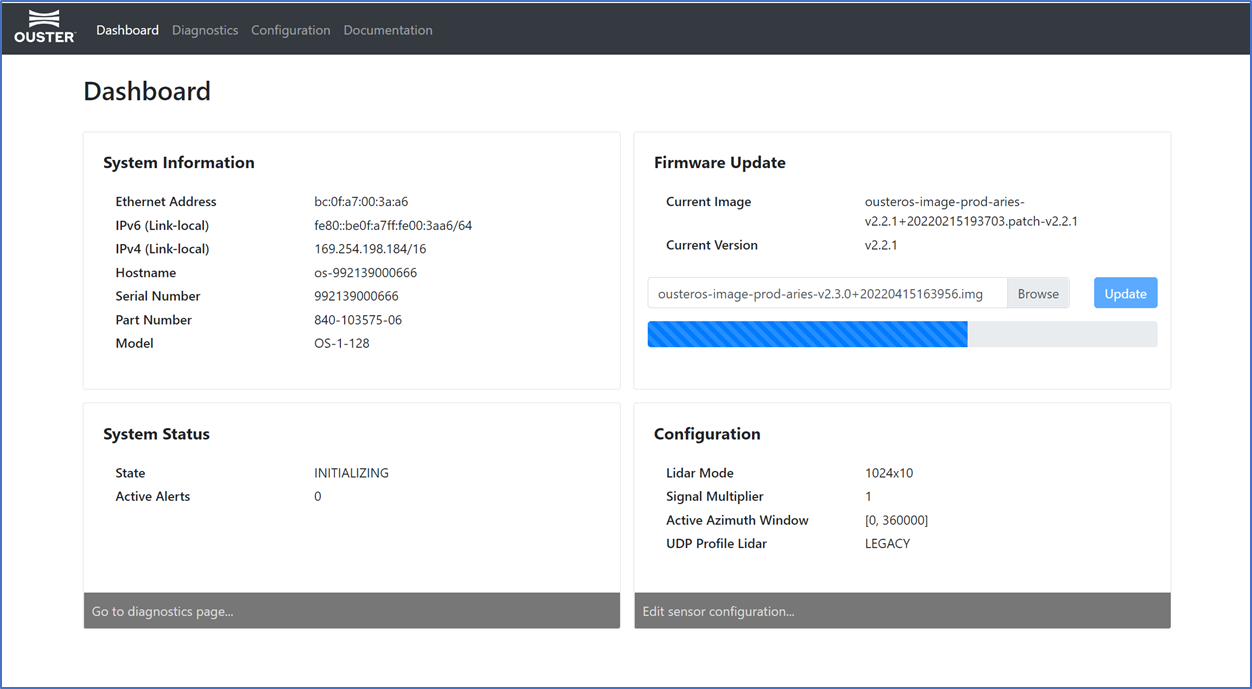
Check the current firmware version before updating. Only update to an equal or higher version number.
After the web UI confirms the update, allow about 2 minutes for the sensor to reboot, then refresh the page to access the updated web UI.
Firmware Update Status
Firmware update status reporting is improved with firmware v3.2. Query the firmware status endpoint during or after an update and inspect update_status to confirm progress and completion.
The response includes the installed firmware version and update state. If an update fails or appears stalled, download the diagnostics file and contact Ouster Support.